
SwimDiary
Practice diary app
Open Figma Project
Project
End-to-End App
My role
UX/UI Designer
Timeline
In progress
Tools
Figma / React
Background
Swimmers need an easy and structured way to record training sessions, reflect on performance, and track progress toward short‑ and long‑term goals. Current options are fragmented, generic, or overly complex, leading to poor consistency and little actionable insight. Without a swimmer‑specific tool, athletes struggle to build self‑awareness, identify patterns, and stay aligned with their goals.
Problem
Swimmers need an easy and structured way to record training sessions, reflect on performance, and track progress toward short‑ and long‑term goals. Current options are fragmented, generic, or overly complex, leading to poor consistency and little actionable insight. Without a swimmer‑specific tool, athletes struggle to build self‑awareness, identify patterns, and stay aligned with their goals.
Solution
The solution is to create a simple and motivating swimmer-focused diary app that makes logging practices and meets fast, supports meaningful reflection, and helps athletes stay aligned with their weekly, monthly, and seasonal goals while tracking progress over time.
DESIGN
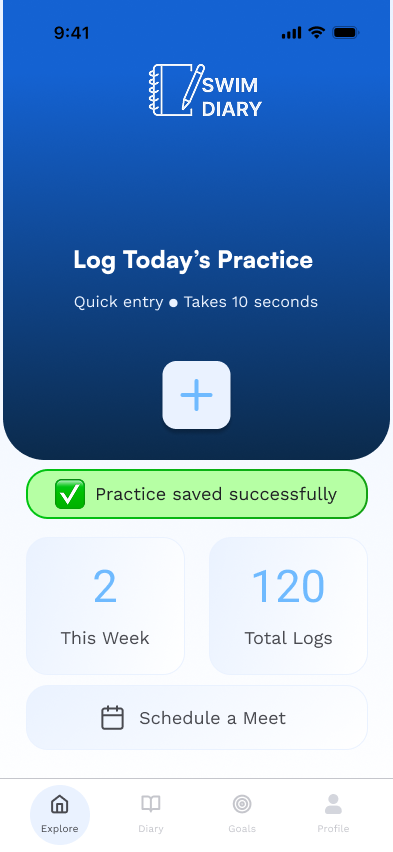
Home section - Practice Log
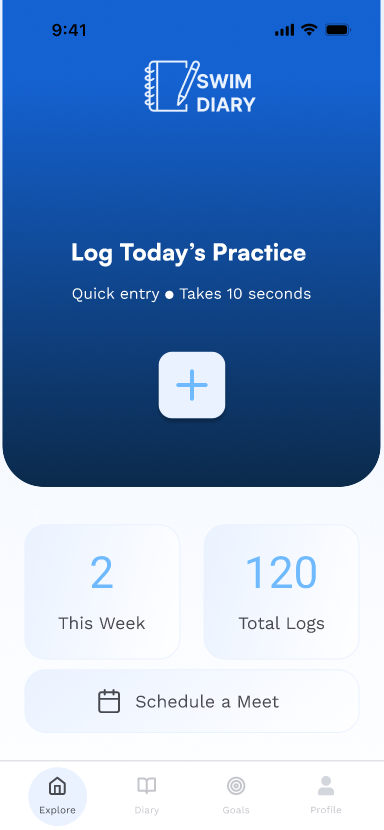
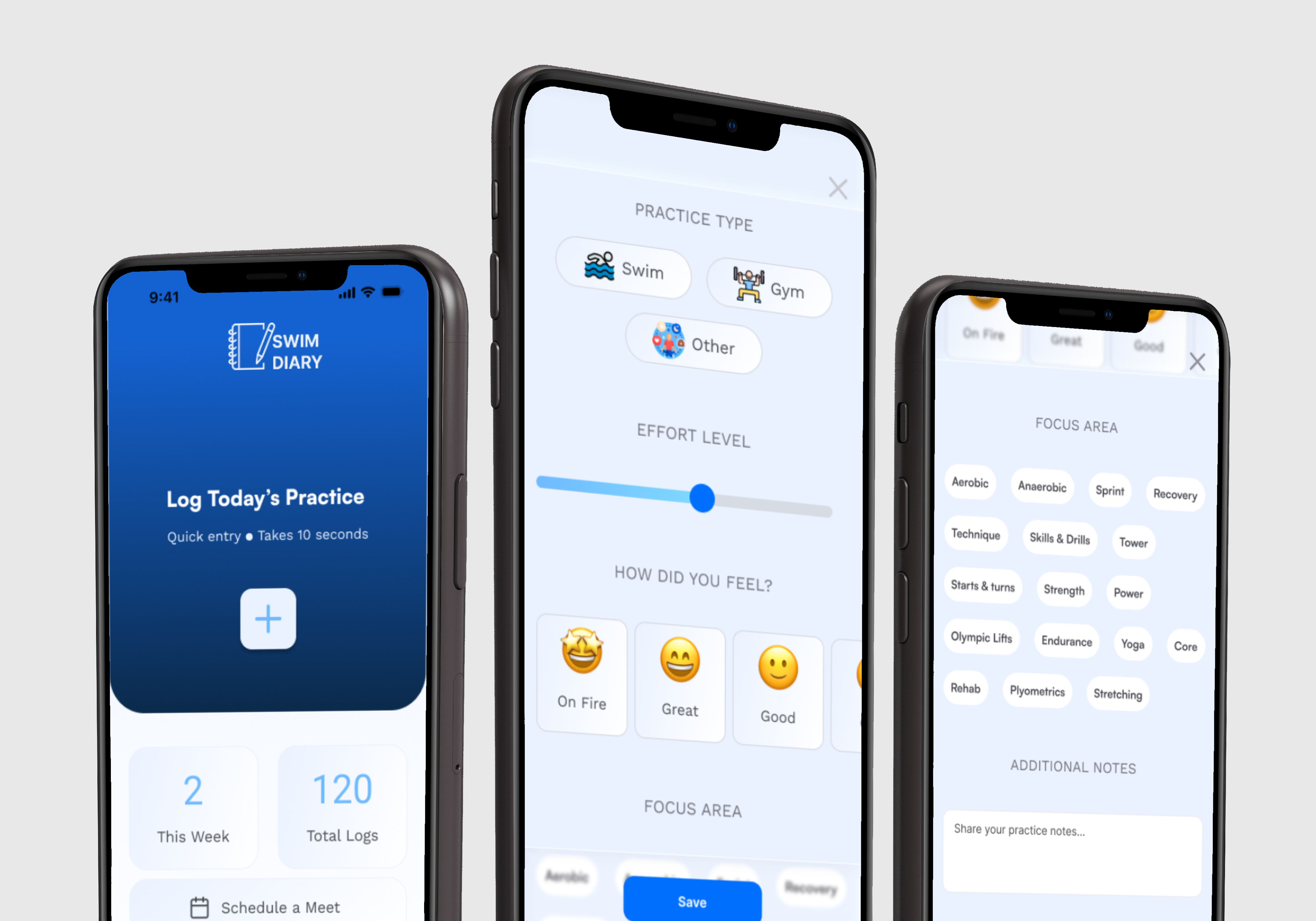
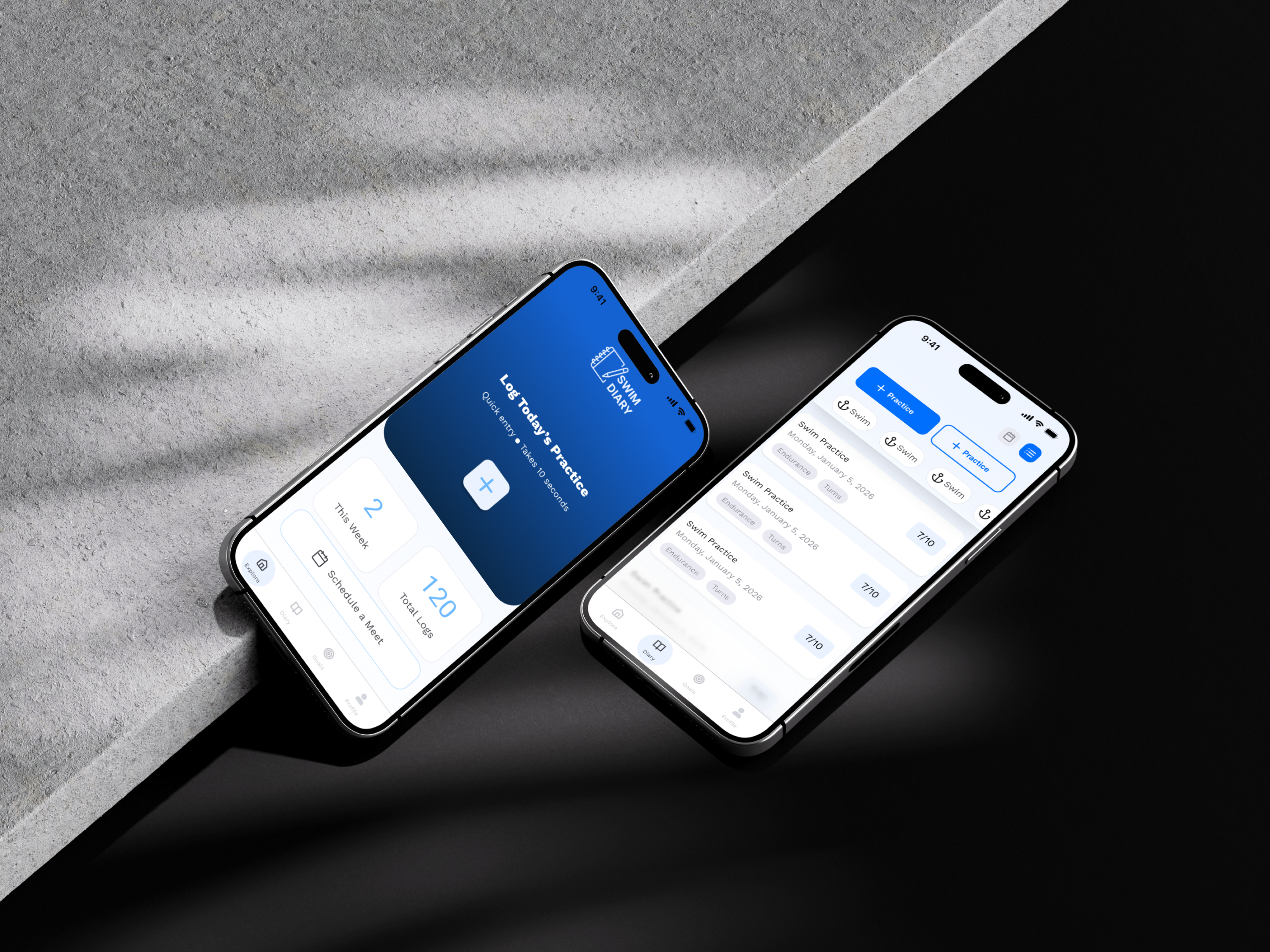
Home section has a simple interface with primary button in the middle for a quick practice log.
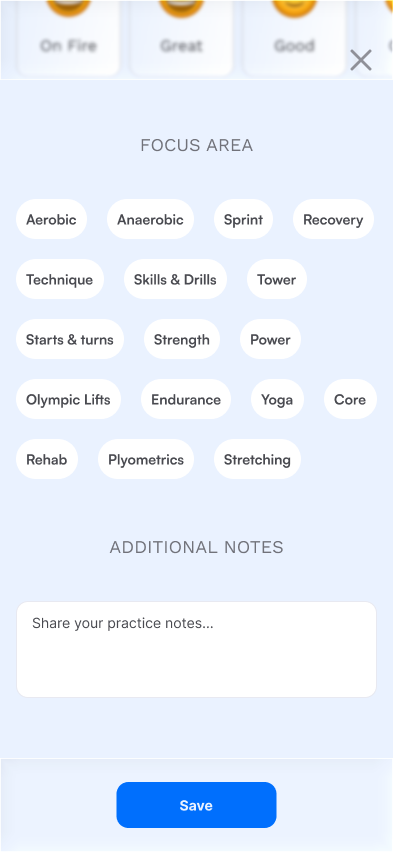
Practice log form
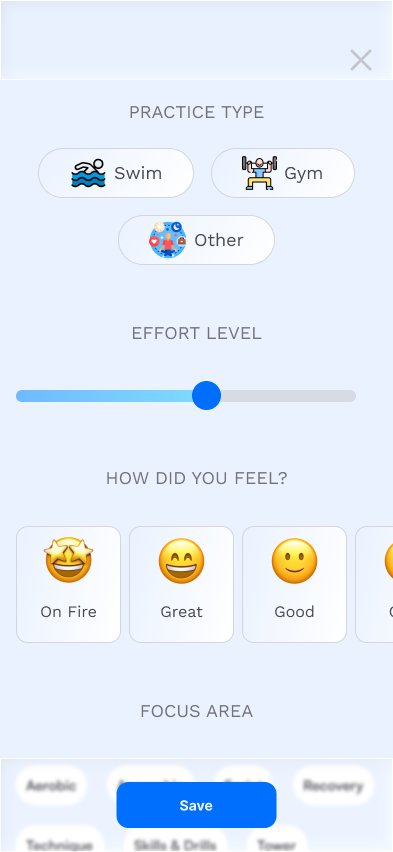
After pressing the primary button, the practice log pop up slides from below for the user to fill it up and hopefully save it to the database.
Practice log - SUCCESS
If the practice log was saved successfully, user gets a green notifications on the home screen to validate his entry.
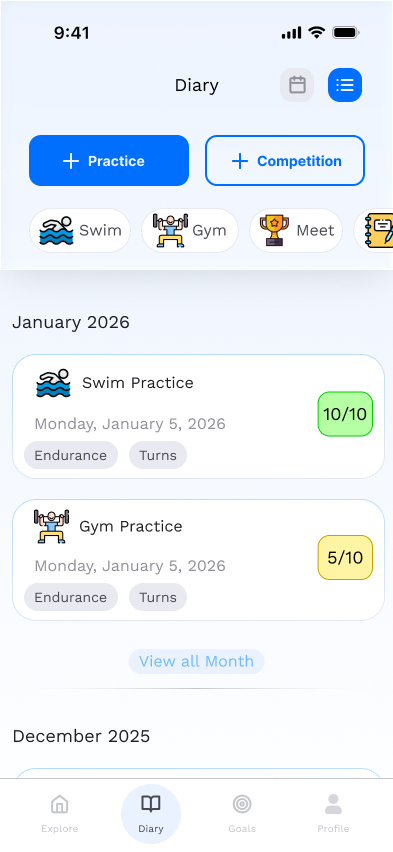
Diary section
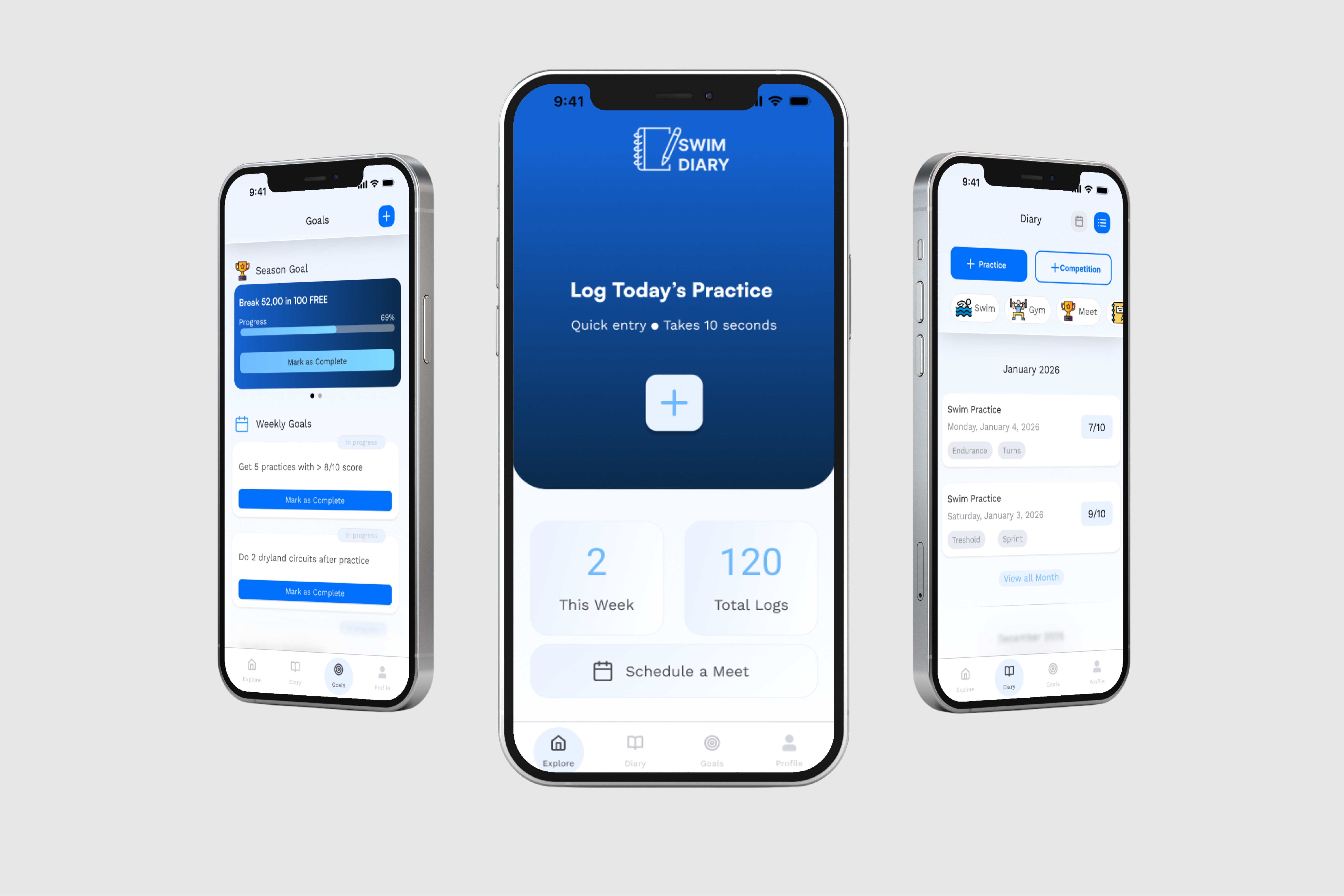
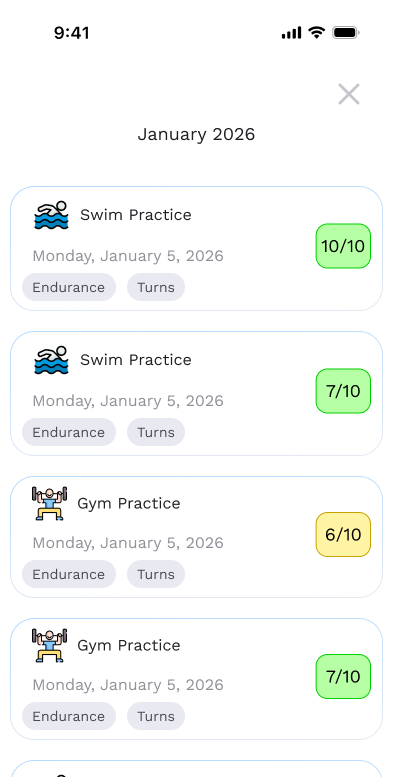
Diary section lets the users have an easy way of looking at their entry logs. They can see their latest logs and filter them by month as well. Each log shows the user: "Workout type", "Effort score", "Date of the practice", "Practice focus".
Goal section - season goals
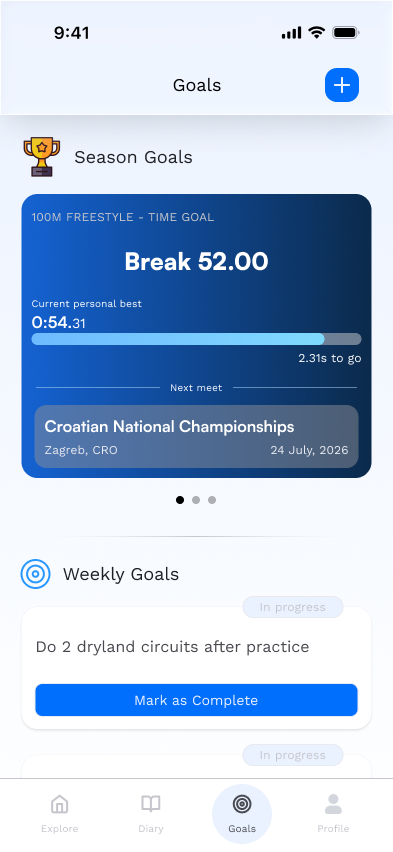
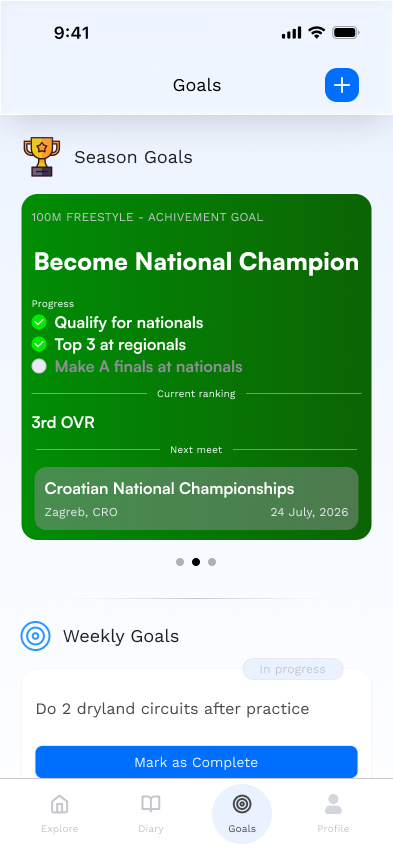
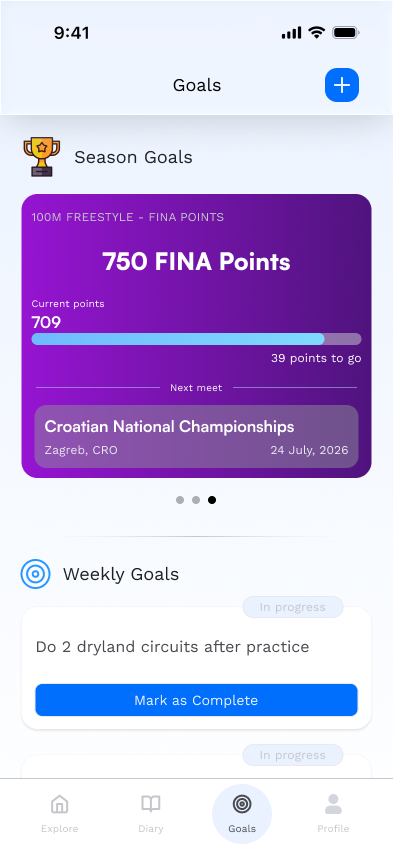
For the season goals user can choose between different variants. Time goal lets the user put a time goal for his events. Achivement goal is set for one main achivement the swimmer wants to accomplish (for example, becoming national champion). And the FINA points goal is set towards users desired points he wants to achieve this season.
PROTOTYPE
USABILITY TESTING
Objective
The goal of the usability study was to evaluate how easily users can complete key task, which is loggin in their recent practice into the diary. I only focused on the main functionality of the app for this testing.
Methodology
A moderated usability study was conducted using a clickable prototype. Participants were asked to complete a set of realistic tasks while thinking aloud. Observations, task success rates, and user feedback were recorded. I choose mainly users with swimming background (profesisonal and recreational swimmers).
Metrics to Track
Time on Task: how long it takes for users to complete each task.
Success Rate: whether users can complete each task successfully without assistance.
Error Rate: record any errors or difficulties users experience during the process.
Ease of Use: ask participants to rate how easy or difficult the tasks were on a scale from 1 to 5.
Results
Success
(out of 5)
Key Findings
Almost all participants completed the assigned tasks successfully, resulting in a 90% task completion rate, indicating that the core flows were clear and easy to follow.
The average time on task was 34 seconds, suggesting that users were able to navigate and complete tasks quickly without unnecessary friction.
Participants encountered 10% error rate, demonstrating that navigation, labels, and interactions were well understood across experience levels.
Users rated the overall ease of use at 5 out of 5, reflecting high confidence and satisfaction while interacting with the app.
Conclusion
The initial usability testing was a success. Our main feature is working as intended. Easy to use, straight forward, without any friction points.